One photo. Just you.
A clear adult selfie works best. Your face stays yours.
That little smile. The shaky breath.
The moment the tears finally fall.
Turn one selfie into an emotional movie scene.
Your face. Original music. All the feels.
JPG, PNG, WebP or HEIC · Max 10 MB
Clear adult selfie · At least 512px on its shortest side
Free preview: a still image, up to 2 attempts daily. Full 8-second videos use paid credits.
⌑ Your photo stays private. Deleted after 7 days.
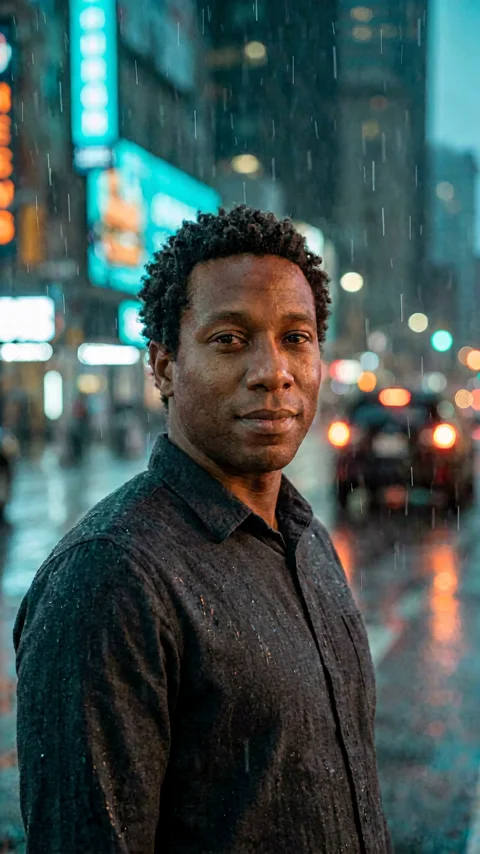
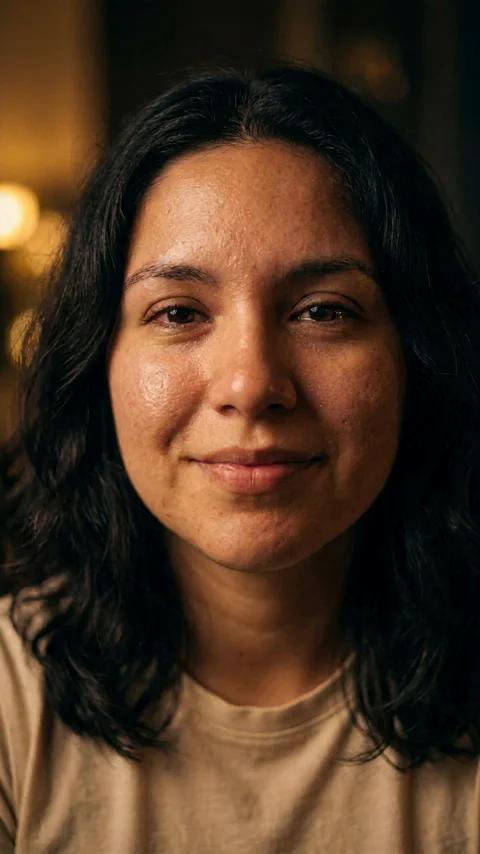
Fictional adults. Real generations. No borrowed footage.
AICryingEffect.com is a browser-based creative tool for adults who want to turn a selfie into a short cinematic emotional scene. Start with a clear photo of yourself, or an adult whose permission you have, and choose the setting that fits your idea. Over the shoulder frames a quiet goodbye with another character in the foreground. Crying in the rain places the scene in a rainy night setting. Close-up tears concentrates on the eyes, cheeks and changing expression. Each scene uses a prepared creative direction, so you do not need to write a prompt or install an editing app. The free experience creates a still-image preview of the selected look; it does not produce a free full-length video. Previews are limited to two attempts per visitor and network each day, subject to the daily site budget. When you decide to create the moving scene, a video uses 10 paid credits and is delivered as an 8-second MP4 in 720p resolution and 9:16 portrait format with original music. Video generation uses Seedance, while still-image previews use Gemini Nano Banana. The public examples are actual AI-generated results made from fictional adult selfies, giving you a concrete reference for the framing and mood before you upload your own photo. AI can change facial details, and the timing or appearance of tears will vary between results. Treat the output as a creative interpretation rather than a recording of a real event. Video packs are one-time purchases without a subscription, and purchased credits do not expire. Confirmed generation failures restore the reserved credits. Your uploaded photo and generated results are kept for 7 days, so download the files you want to keep during that period. Searches for crying AI or cry AI can refer to music; this tool creates visual scenes from photos. Use the account page to find your available videos, or contact support@aicryingeffect.com for help with an order or result.
A clear adult selfie works best. Your face stays yours.
A quiet goodbye, a rainy night or one intimate close-up. See your look before creating.
A vertical MP4 with original music, ready for your next post.
| What you get | AICryingEffect | CapCut templates | Photo crying filters |
|---|---|---|---|
| Works in the browser | Yes | Depends on template | Depends on tool |
| Moving cinematic scene | Yes | Depends on template | Usually a still |
| Original music | Included | Varies | Usually none |
| Write your own prompt | No | No | Varies |
The AI crying effect turns a photo into a simulated emotional scene with wet eyes, tears and a changing expression. AICryingEffect creates a cinematic video from an adult selfie. The output is AI-generated, not a recording of real distress.
Upload a clear adult selfie you have permission to use, choose a scene and create a still-image preview. Use that preview to create the full video with your credits or a one-time video pack. Download the private MP4 before it expires.
Yes. A photo crying filter adds the appearance of tears to a still image. Here, you can preview a cinematic still before creating a moving scene. The preview is limited to two attempts per visitor and network per day, subject to a site budget; full videos use paid credits.
Photo filters and editing apps can add simulated tears, but their features vary. AICryingEffect works in your browser without an app download: it makes a still-image preview and, with paid credits, an animated scene with music. It does not make you physically cry.
A CapCut template provides an editing workflow inside CapCut. We generate a new cinematic scene from a selfie, with original music.
Only with that adult’s permission. No children, public figures or celebrities. Do not use the output to harass or deceive anyone.
Adults only. Your photo, your permission.